Introduction
In today’s data-driven world, organizations generate and manage enormous amounts of information every second. From customer details and online transactions to business reports and application data, storing and organizing information efficiently is essential. This is where SQL databases and relational database systems play a critical role.
SQL databases are among the most widely used technologies for managing structured data. They power websites, banking systems, e-commerce platforms, enterprise applications, and countless software solutions worldwide.
Understanding how relational databases work is an important skill for developers, data analysts, business professionals, and anyone interested in technology. In this beginner-friendly guide, we will explain what an SQL database is, how relational databases function, key concepts, advantages, SQL commands, and real-world applications.
What Is an SQL Database?
An SQL database is a database system that uses Structured Query Language (SQL) to store, manage, retrieve, and manipulate data.
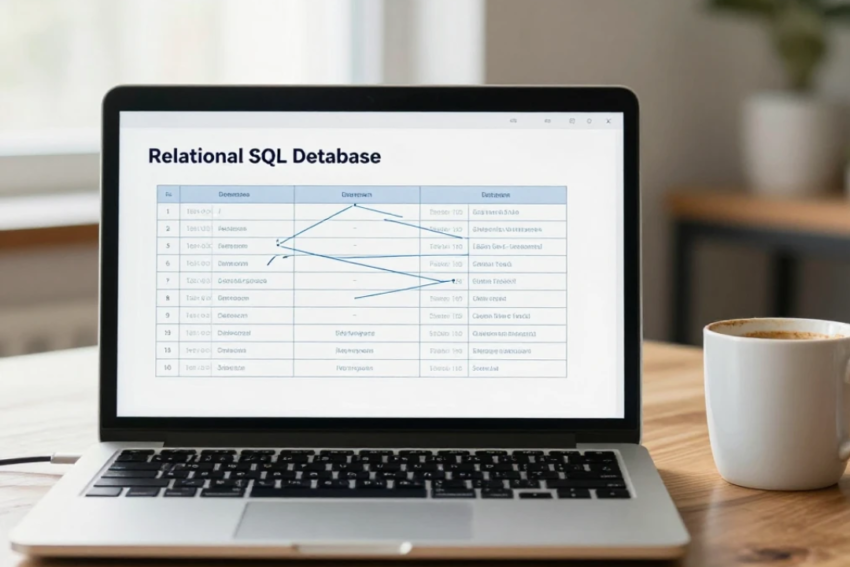
SQL databases are based on the relational database model, where information is organized into tables containing rows and columns. These tables can be connected through relationships, allowing users to efficiently manage complex data.
Examples of popular SQL databases include:
- MySQL
- PostgreSQL
- Oracle Database
- Microsoft SQL Server
- SQLite
SQL databases are widely used because they provide reliability, accuracy, security, and powerful tools for managing structured information.
What Is a Relational Database?
A relational database is a type of database that organizes data into related tables.
Each table represents a specific category of information.
For example, an online shopping website might have:
Customers Table
| Customer ID | Name | |
|---|---|---|
| 101 | John | john@email.com |
Orders Table
| Order ID | Customer ID | Product |
| 5001 | 101 | Laptop |
The relationship between these tables is created using the Customer ID field.
This structure allows databases to avoid unnecessary duplication while keeping information organized.
How Do Relational Databases Work?
Relational databases work by storing data in tables and connecting related information through keys.
The basic process includes:
1. Data Storage
Information is stored in tables made up of rows and columns.
- Rows represent individual records.
- Columns represent specific attributes.
For example, a student table may contain columns such as:
- Student ID
- Name
- Age
- Course
Each row represents one student.
2. Data Relationships
Tables are connected using relationships.
Common relationships include:
One-to-One Relationship
One record in a table is connected to one record in another table.
Example:
- One person
- One passport
One-to-Many Relationship
One record is connected to multiple records.
Example:
- One customer
- Multiple orders
Many-to-Many Relationship
Multiple records are connected to multiple records.
Example:
- Students and courses
Relationships make databases more organized and efficient.
Understanding Tables, Rows, and Columns
Tables are the foundation of relational databases.
Tables
A table stores related information about a specific topic.
Examples:
- Employee table
- Product table
- Customer table
Rows
A row represents a single record in a table.
Example:
A customer row may contain:
- Customer ID
- Name
- Address
- Phone number
Columns
A column represents a specific type of information.
Example:
A customer table may have columns for:
- Name
- Contact number
Together, tables, rows, and columns create the structure of relational databases.
Primary Keys and Foreign Keys
Keys are essential components of relational databases because they create relationships between tables.
Primary Key
A primary key is a unique identifier for each record in a table.
Example:
Customer ID can be a primary key because every customer has a different ID.
Characteristics of primary keys:
- Unique value
- Cannot contain duplicate entries
- Cannot be empty
Foreign Key
A foreign key is a field that connects one table to another.
Example:
An Orders table may contain Customer ID as a foreign key to connect orders with customers.
Foreign keys help maintain relationships between different tables.
What Is SQL?
SQL (Structured Query Language) is the programming language used to communicate with relational databases.
SQL allows users to:
- Create databases
- Add information
- Update records
- Delete data
- Search information
- Manage database structures
SQL is easy to learn compared to many programming languages because it uses simple commands based on English words.
Common SQL Commands
SQL commands are divided into different categories.
1. Data Definition Language (DDL)
DDL commands are used to create and modify database structures.
Common commands include:
CREATE
Creates a new table or database.
Example:
CREATE TABLE Customers;
ALTER
Changes the structure of an existing table.
DROP
Deletes a table or database.
2. Data Manipulation Language (DML)
DML commands manage data stored inside tables.
Common commands include:
INSERT
Adds new records.
Example:
INSERT INTO Customers VALUES (‘John’);
UPDATE
Changes existing data.
DELETE
Removes records from a table.
3. Data Query Language (DQL)
The main DQL command is:
SELECT
Used to retrieve data from a database.
Example:
SELECT * FROM Customers;
This allows users to search and analyze stored information.
4. Data Control Language (DCL)
DCL manages user permissions and access control.
Examples:
- GRANT
- REVOKE
These commands help protect sensitive database information.
Advantages of SQL Databases
SQL databases provide many benefits for organizations.
1. Data Accuracy
Relational databases use rules and constraints to maintain accurate information.
2. Strong Security
SQL databases support authentication, permissions, and access control features.
3. Data Consistency
Relationships and constraints ensure information remains reliable across the system.
4. Easy Data Retrieval
SQL queries allow users to quickly search and analyze large amounts of information.
5. Reduced Data Duplication
Database normalization reduces unnecessary repetition of information.
6. Scalability
SQL databases can support small applications as well as large enterprise systems.
7. Backup and Recovery
Most SQL databases provide tools for protecting and restoring important data.
Database Normalization Explained
Normalization is a technique used in relational databases to organize data efficiently and reduce duplication.
The main goals of normalization are:
- Remove duplicate data
- Improve data consistency
- Simplify database management
For example, instead of storing customer information repeatedly in every order record, a database stores customer details once and links them using keys.
Common normalization forms include:
- First Normal Form (1NF)
- Second Normal Form (2NF)
- Third Normal Form (3NF)
SQL Database vs NoSQL Database
SQL and NoSQL databases are two major database approaches.
| Feature | SQL Database | NoSQL Database |
| Structure | Tables and relationships | Flexible data models |
| Data Type | Structured data | Structured and unstructured data |
| Scalability | Vertical scaling | Horizontal scaling |
| Query Language | SQL | Different query methods |
| Examples | MySQL, PostgreSQL | MongoDB, Cassandra |
SQL databases are ideal for applications requiring accuracy and strong relationships, while NoSQL databases are often used for large-scale and flexible data environments.
Popular SQL Database Management Systems
Several SQL database systems are widely used worldwide.
MySQL
MySQL is an open-source relational database popular for websites and web applications.
PostgreSQL
PostgreSQL is an advanced open-source database known for reliability and powerful features.
Oracle Database
Oracle is an enterprise-level database used by large organizations.
Microsoft SQL Server
SQL Server is widely used in business applications and enterprise environments.
SQLite
SQLite is a lightweight database commonly used in mobile applications and small software projects.
Real-World Applications of SQL Databases
SQL databases are used across many industries.
Banking
Banks use SQL databases to manage:
- Customer accounts
- Transactions
- Loans
- Financial records
E-Commerce
Online stores use databases to manage:
- Products
- Customers
- Orders
- Payments
Healthcare
Hospitals store:
- Patient records
- Medical histories
- Appointment information
Education
Schools and universities manage:
- Student information
- Courses
- Grades
- Attendance
Social Media
Platforms use databases to store:
- User profiles
- Posts
- Messages
- Activity data
Future of SQL Databases
Although new database technologies continue to emerge, SQL databases remain highly important.
Future developments include:
- Cloud-based SQL databases
- AI-powered database optimization
- Automated database management
- Improved security features
- Real-time data processing
- Integration with big data systems
Modern SQL databases are becoming faster, more scalable, and easier to manage.
Why Learn SQL?
SQL is one of the most valuable technical skills in today’s job market.
Learning SQL can help you build careers in:
- Software development
- Data analysis
- Database administration
- Business intelligence
- Data engineering
- Cybersecurity
Because almost every organization depends on data, SQL knowledge remains highly valuable across industries.
Conclusion
SQL databases are the foundation of modern data management. By organizing information into related tables, relational databases provide a reliable, secure, and efficient way to store and access data.
Understanding how relational databases work, including concepts such as tables, keys, relationships, normalization, and SQL commands, provides essential knowledge for anyone entering the technology field.
From banking and healthcare to e-commerce and software development, SQL databases continue to power critical applications around the world. As data continues to grow, SQL and relational database technology will remain an important part of the digital landscape for years to come.