Introduction
Cloud computing has revolutionized the way businesses and individuals use technology. Instead of investing in expensive hardware and managing complex IT infrastructure, organizations can now access computing resources through the internet whenever they need them. This flexibility has made cloud computing one of the most important technologies in the digital age.
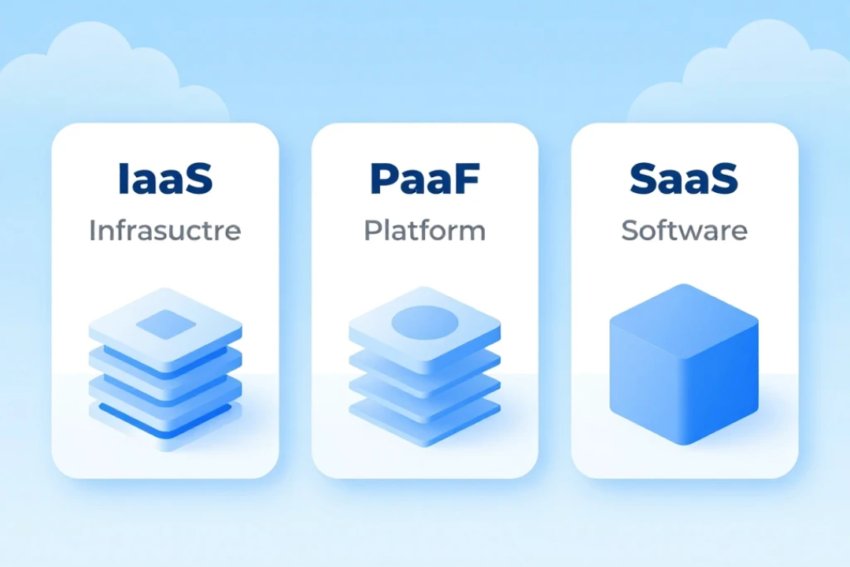
When learning about cloud computing, you’ll frequently encounter three major cloud service models: Infrastructure as a Service (IaaS), Platform as a Service (PaaS), and Software as a Service (SaaS). These models represent different levels of cloud-based services, each designed to meet specific business and technical needs.
Understanding the differences between IaaS, PaaS, and SaaS is essential for selecting the right cloud solution. In this comprehensive guide, you’ll learn how each cloud service model works, its benefits, limitations, use cases, and the top providers in the industry.
What Are Cloud Computing Services?
Cloud computing services refer to the delivery of computing resources over the internet. Instead of owning physical servers, businesses rent cloud resources from cloud providers on a subscription or pay-as-you-go basis.
These services include:
- Computing power
- Data storage
- Networking
- Databases
- Software applications
- Development platforms
- Security tools
- Analytics services
Cloud computing services are generally categorized into three primary models:
- Infrastructure as a Service (IaaS)
- Platform as a Service (PaaS)
- Software as a Service (SaaS)
Each model provides a different level of responsibility between the cloud provider and the customer.
What Is Infrastructure as a Service (IaaS)?
Infrastructure as a Service (IaaS) is the most flexible cloud computing service model. It provides virtualized computing resources such as servers, storage, networking, and operating systems over the internet.
Instead of purchasing physical hardware, businesses rent infrastructure from cloud providers and manage their own operating systems, applications, and data.
IaaS is ideal for organizations that require complete control over their computing environment.
How IaaS Works
Cloud providers maintain large data centers equipped with powerful servers and networking equipment. Customers access these resources through an online dashboard or API.
Users can:
- Create virtual machines
- Configure storage
- Manage networks
- Install software
- Scale resources up or down
The cloud provider manages the physical infrastructure while customers manage their applications and operating systems.
Benefits of IaaS
1. High Scalability
Businesses can increase or decrease computing resources based on demand without purchasing additional hardware.
2. Cost Savings
Organizations avoid large upfront investments in servers and data centers by paying only for the resources they use.
3. Greater Flexibility
IaaS allows businesses to customize operating systems, applications, and networking configurations according to their requirements.
4. Disaster Recovery
Cloud providers offer backup and disaster recovery solutions that improve business continuity and minimize downtime.
5. Global Availability
Resources can be deployed in multiple geographic regions, improving application performance and reducing latency.
Limitations of IaaS
Although IaaS offers significant flexibility, it also comes with challenges.
- Requires technical expertise
- Customers manage operating systems and applications
- Security responsibilities are shared
- Costs may increase with heavy resource usage
Common Use Cases of IaaS
Infrastructure as a Service is commonly used for:
- Website hosting
- Virtual data centers
- Software development
- Disaster recovery
- High-performance computing
- Big data analytics
- Testing and development environments
Popular IaaS Providers
Leading Infrastructure as a Service providers include:
- Amazon Web Services (AWS)
- Microsoft Azure
- Google Cloud Platform (GCP)
- IBM Cloud
- Oracle Cloud Infrastructure
These platforms offer reliable, scalable, and secure cloud infrastructure for businesses of all sizes.
What Is Platform as a Service (PaaS)?
Platform as a Service (PaaS) provides developers with a complete cloud-based environment for building, testing, deploying, and managing applications.
Instead of managing servers and operating systems, developers focus entirely on writing code and creating applications.
The cloud provider manages the infrastructure, operating system, middleware, and runtime environment.
How PaaS Works
Developers access cloud-based development tools through a web interface.
The platform includes:
- Operating systems
- Programming frameworks
- Databases
- Development tools
- Middleware
- Application hosting
Everything needed for application development is available in one integrated environment.
Benefits of PaaS
1. Faster Development
Developers spend less time managing infrastructure and more time building software.
2. Reduced Complexity
The cloud provider handles updates, maintenance, security patches, and infrastructure management.
3. Lower Costs
Businesses reduce hardware investments while accelerating software development.
4. Collaboration
Multiple developers can work together using shared cloud development environments.
5. Automatic Scalability
Applications automatically scale as user demand increases.
Limitations of PaaS
Despite its advantages, PaaS also has some drawbacks.
- Limited infrastructure control
- Possible vendor lock-in
- Platform compatibility restrictions
- Less customization than IaaS
Businesses should carefully evaluate platform capabilities before selecting a provider.
Common Use Cases of PaaS
Platform as a Service is widely used for:
- Web application development
- Mobile app development
- API development
- Database management
- DevOps automation
- Software testing
Popular PaaS Providers
Some of the most popular Platform as a Service providers include:
- Google App Engine
- Microsoft Azure App Service
- Heroku
- Red Hat OpenShift
- AWS Elastic Beanstalk
These platforms simplify application development and deployment for developers.
What Is Software as a Service (SaaS)?
Software as a Service (SaaS) is the most widely used cloud computing service model.
Instead of installing software on local computers, users access applications directly through a web browser or mobile app.
The cloud provider manages everything, including servers, infrastructure, updates, maintenance, and security.
Users simply log in and begin using the software.
How SaaS Works
SaaS applications are hosted in the cloud and delivered through the internet.
Users subscribe to software monthly or annually.
Updates happen automatically without requiring installation or manual maintenance.
The software is accessible from desktops, laptops, tablets, and smartphones.
Benefits of SaaS
1. Easy to Use
Users do not need technical knowledge to install or manage software.
2. Lower Costs
Subscription pricing eliminates expensive software licenses and hardware investments.
3. Automatic Updates
The provider regularly updates software with new features and security improvements.
4. Accessibility
Employees can work from anywhere using internet-connected devices.
5. Improved Collaboration
Teams can collaborate in real time using cloud-based applications.
Limitations of SaaS
Some challenges of SaaS include:
- Limited customization
- Internet dependency
- Data privacy concerns
- Vendor lock-in
- Subscription costs over time
Organizations should evaluate security and compliance requirements before adopting SaaS solutions.
Common Use Cases of SaaS
Software as a Service is used for:
- Email services
- Customer Relationship Management (CRM)
- Video conferencing
- Project management
- Office productivity
- Accounting software
- File storage
- Collaboration tools
Millions of businesses rely on SaaS applications every day.
Popular SaaS Providers
Well-known SaaS providers include:
- Microsoft 365
- Google Workspace
- Salesforce
- Dropbox
- Zoom
- Slack
- Adobe Creative Cloud
These applications have become essential tools for modern businesses and remote teams.
IaaS vs PaaS vs SaaS
The following table compares the three cloud service models.
| Feature | IaaS | PaaS | SaaS |
|---|---|---|---|
| Infrastructure Management | Customer manages software and OS | Provider manages platform | Provider manages everything |
| User Control | High | Moderate | Low |
| Ease of Use | Moderate | Easy | Very Easy |
| Customization | High | Moderate | Limited |
| Scalability | Excellent | Excellent | Excellent |
| Technical Skills Required | High | Medium | Low |
| Best For | IT teams and enterprises | Developers | End users and businesses |
Choosing the Right Cloud Service Model
Selecting the right cloud service depends on your organization’s goals and technical requirements.
Choose IaaS if:
- You need maximum control over infrastructure.
- You manage custom applications.
- You require scalable virtual servers.
- Your IT team has technical expertise.
Choose PaaS if:
- You develop web or mobile applications.
- You want faster software development.
- You prefer not to manage infrastructure.
- Your development team needs integrated tools.
Choose SaaS if:
- You want ready-to-use software.
- You need affordable subscription-based applications.
- Your business values simplicity and quick deployment.
- You require remote access and collaboration.
Real-World Examples
A startup launching a new website may use IaaS to rent virtual servers and storage while maintaining full control over its applications.
A software company building a customer portal can use PaaS to develop, test, and deploy applications quickly without worrying about server maintenance.
A marketing agency may use SaaS applications such as Microsoft 365, Google Workspace, Zoom, and Salesforce to manage communication, documents, meetings, and customer relationships efficiently.
These examples show how different cloud service models address different business needs.
Future of Cloud Computing Services
The future of cloud computing is driven by innovation in Artificial Intelligence (AI), Machine Learning (ML), Edge Computing, Serverless Computing, and the Internet of Things (IoT). Cloud providers continue to expand their services with advanced automation, stronger security, and global infrastructure.
Businesses are increasingly adopting hybrid and multi-cloud strategies to improve flexibility and reduce dependency on a single provider. As digital transformation accelerates across industries, demand for IaaS, PaaS, and SaaS solutions will continue to grow, helping organizations innovate faster and operate more efficiently.
Conclusion
Understanding the differences between Infrastructure as a Service (IaaS), Platform as a Service (PaaS), and Software as a Service (SaaS) is essential for anyone exploring cloud computing. Each service model offers unique benefits and serves different purposes.
IaaS provides maximum flexibility and infrastructure control, making it ideal for organizations with advanced IT needs. PaaS simplifies application development by offering a ready-to-use development environment, enabling developers to build and deploy software more efficiently. SaaS delivers fully managed applications that are easy to use, cost-effective, and accessible from anywhere, making it the preferred choice for businesses and individual users alike.
By understanding these cloud computing service models, organizations can choose the right solution to improve productivity, reduce costs, enhance scalability, and support long-term business growth in an increasingly digital world.